Check a car by VIN
Identifying the car…


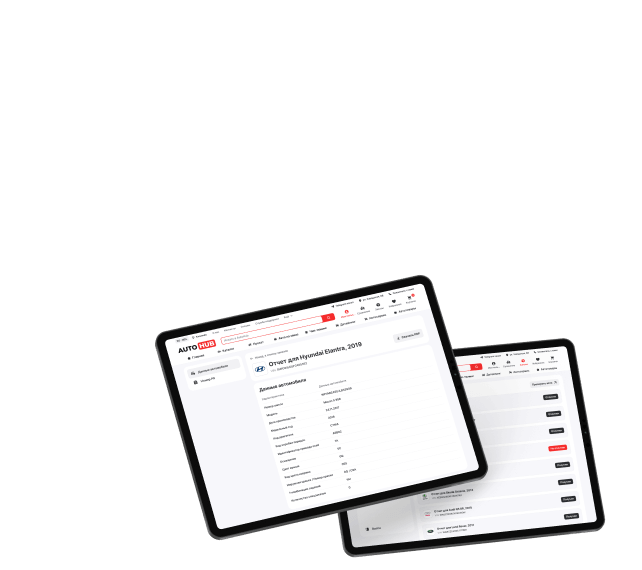
Advantages of AUTOHUB VIN Reports
Verified information to help you make a confident buying decision

What the AUTOHUB VIN report shows
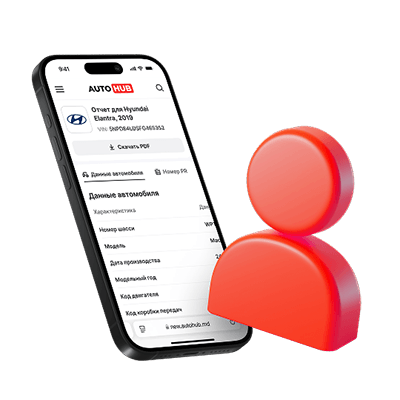
The report pulls factory data by VIN: the engine, gearbox and equipment the car left the line with. Things a repaint or a swapped badge cannot change.
Exact trim and production date
Model, trim, production date and model year — check them against what the seller claims.
Engine and gearbox codes
Factory codes for the engine, transmission and drivetrain. They let you order the right parts and tell whether the unit is original.
Equipment level and options
The full factory build: equipment packages and the option list (PR codes), so you can see what came from the factory and what was added later.
Body and interior colours
Factory colour codes for the body, roof and interior trim — an instant hint whether the car has been resprayed.
Czech state registry — free
If the car was registered in Czechia, the report adds a section from the state registry: how many owners it had, how long its roadworthiness test runs, the date of first registration. Free, and only for cars the registry knows.
Report as PDF
You get a file you can keep, send to your mechanic or show the seller when negotiating.
How to check a car by VIN (3 steps)
Checking a car by VIN at AUTOHUB takes three steps: enter the VIN code, pay for the report, and receive the result as a PDF. The report is generated quickly and stays available in your account.
Where the data comes from
The data comes from a catalogue that works directly with vehicle manufacturers — the factory specification by VIN, that is, how the car was actually built. How deep it goes depends on the make: some manufacturers document the build in more detail than others.
How to find the VIN code of a car
The VIN is a 17-character code. You can find it on the windshield from the driver's side, on the door pillar, or in the vehicle's registration documents (tech passport). Enter it in the form above to start the check.
Commercial vehicle check
A VIN report is available not only for passenger cars but also for commercial transport, so you can check a van or truck before purchase the same way.
Frequently asked questions about VIN reports
How do I check a car by VIN code?
Enter the 17-character VIN in the form above, pick the make and pay for the report. You get the factory build: trim, production date, engine and gearbox codes, equipment and options.
What is included in the AUTOHUB VIN report?
Factory data for the car: model and trim, production date and model year, engine, gearbox and drivetrain codes, equipment level, colour codes and the full list of factory options (PR codes).
How much does a VIN report cost?
The exact price is shown for your specific car after you enter the VIN in the form and start the check, then you pay before receiving the PDF report.
Where can I find the VIN code of a car?
The VIN is on the windshield from the driver's side, on the door pillar, and in the vehicle's registration documents (tech passport). It is a 17-character code of letters and digits.
Can I look up the factory options by VIN?
Yes, that is what the report is for: it shows the engine, gearbox, drivetrain and options the car was built with.
Does the report show mileage and liens?
No. It covers the factory build, not the service life: mileage, accidents and legal restrictions are not included.
How fast does the report arrive and in what format?
The report is generated quickly and delivered as a PDF that you can save and access in your personal account.
Is the report available for commercial vehicles?
Yes. You can run a VIN check for commercial transport — vans and trucks — the same way as for passenger cars.
Where does the report data come from?
From a catalogue that works directly with manufacturers. It is the factory specification by VIN, not a resold data dump. Completeness varies by make.